
Note
- Mandatory Fields: Fields marked with an asterisk (*) are mandatory and must be filled out to proceed.
- Access Patient Registration
- Navigate to the "Patients" section from the main dashboard.
- Click on the "Patient Registration" dropdown menu or the + sign
- Select "Full Registration" from the options.
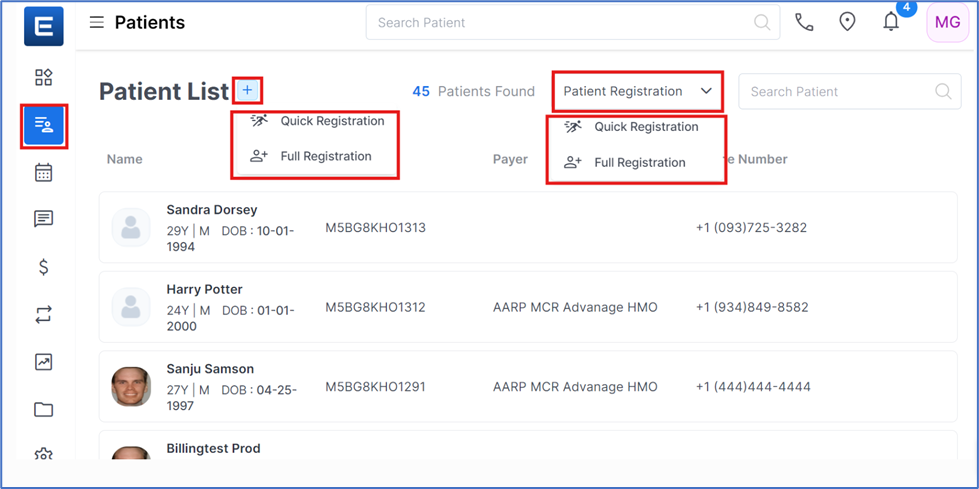
Steps to Full Registration on Edvak EHR
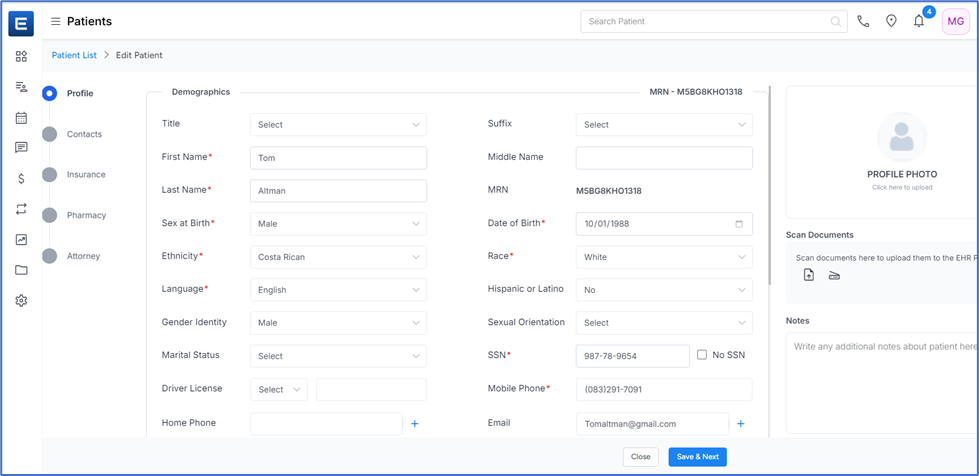
- Fill in Patient Profile Information
- Enter Demographic Information
- Additional Demographic Details
- Enter Address Details
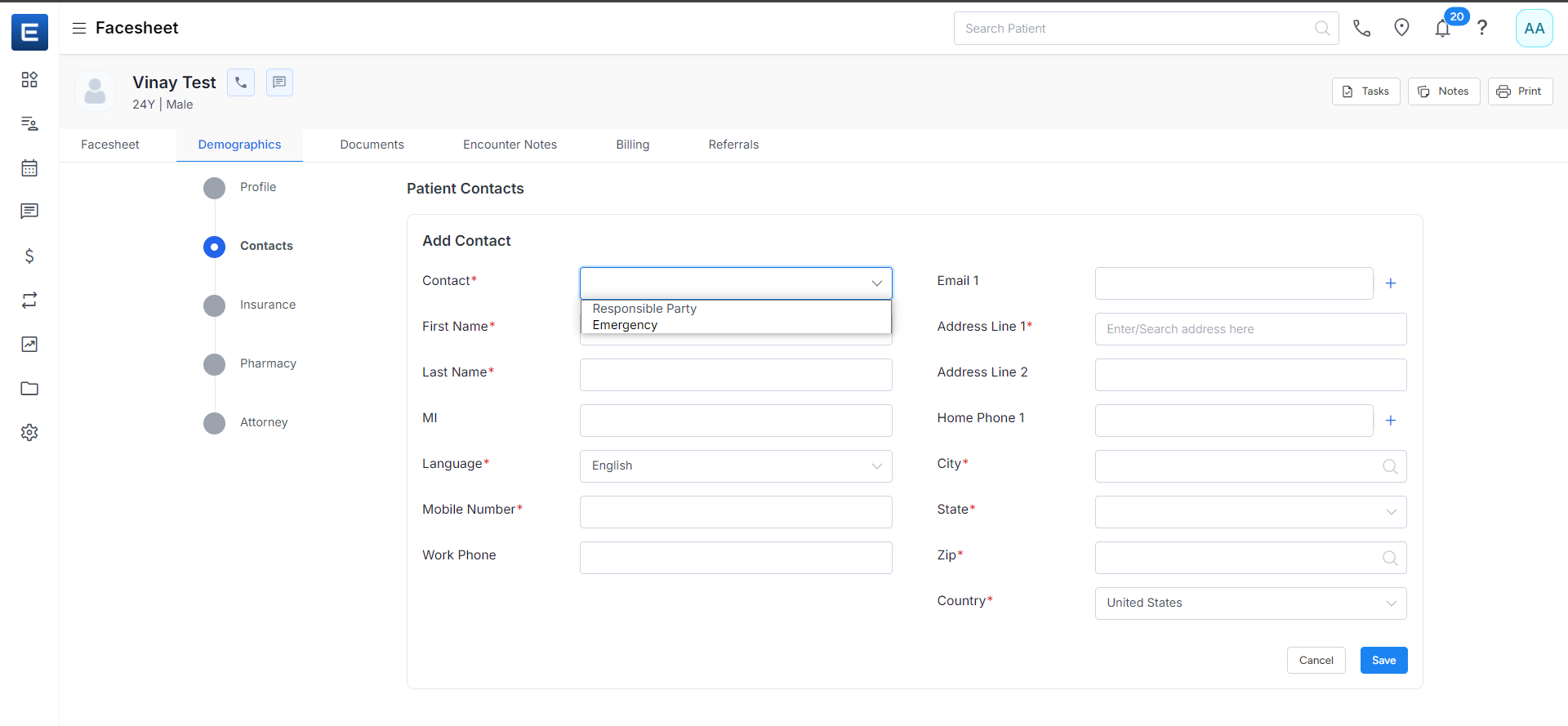
5. Add Contact Information
Select Contact Type
-
- Choose the contact type:
-
- Responsible Party: A person responsible for the patient's care.
- Emergency: A person to contact in case of an emergency.
-
- Choose the contact type:
- Enter Responsible Party Contact
- Enter Emergency Contact
Click “Save and Next”
- Provide Insurance Details
6. Select Insurance Type
-
- Choose the insurance type:
-
- Primary: The main insurance policy covering the patient.
- Secondary: Additional insurance coverage.
- Tertiary: Third level of insurance coverage.
-
- Choose the insurance type:
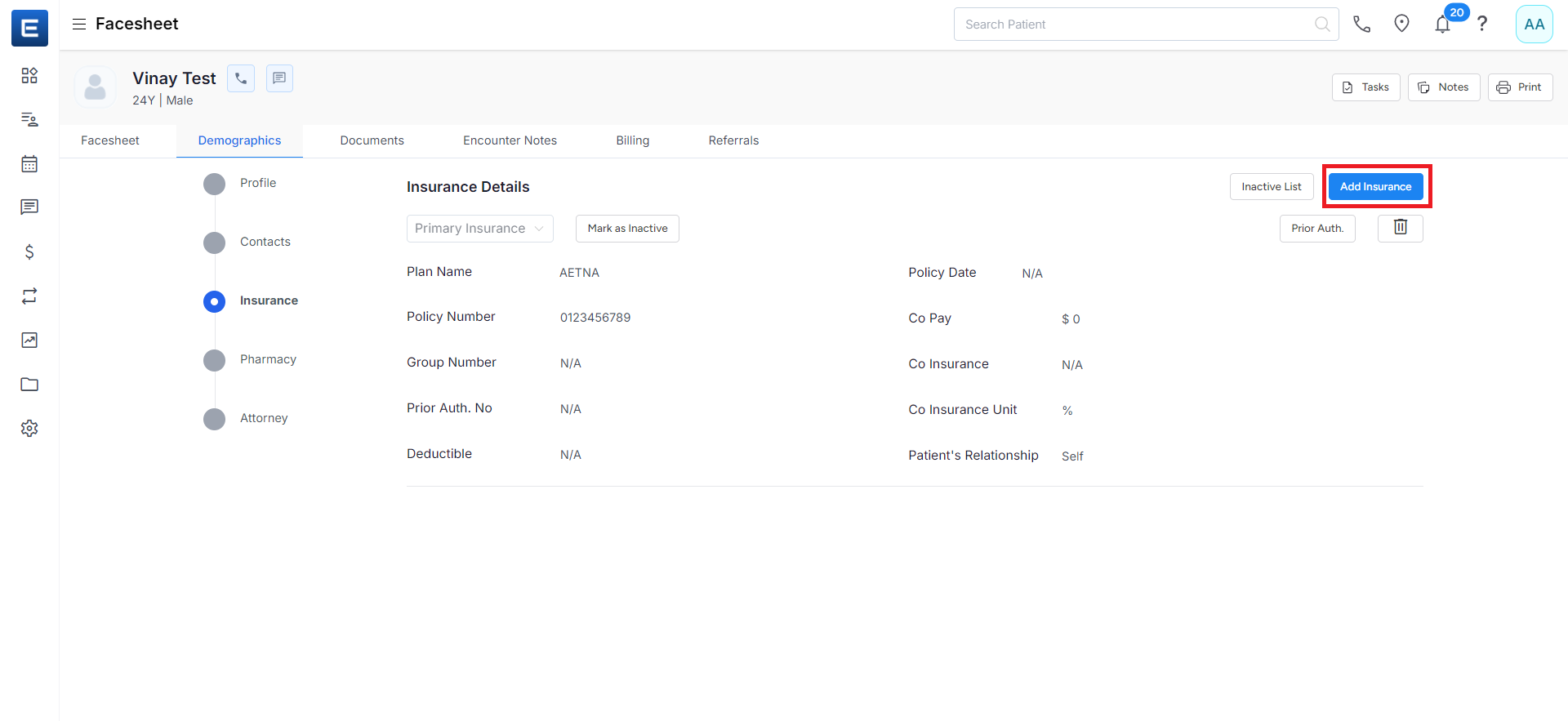
Enter Insurance Details
- Check Eligibility
-
- Click the "Check Eligibility" button to verify the patient's insurance coverage.
-
- After filling in all required fields, click the "Save insurance" button.
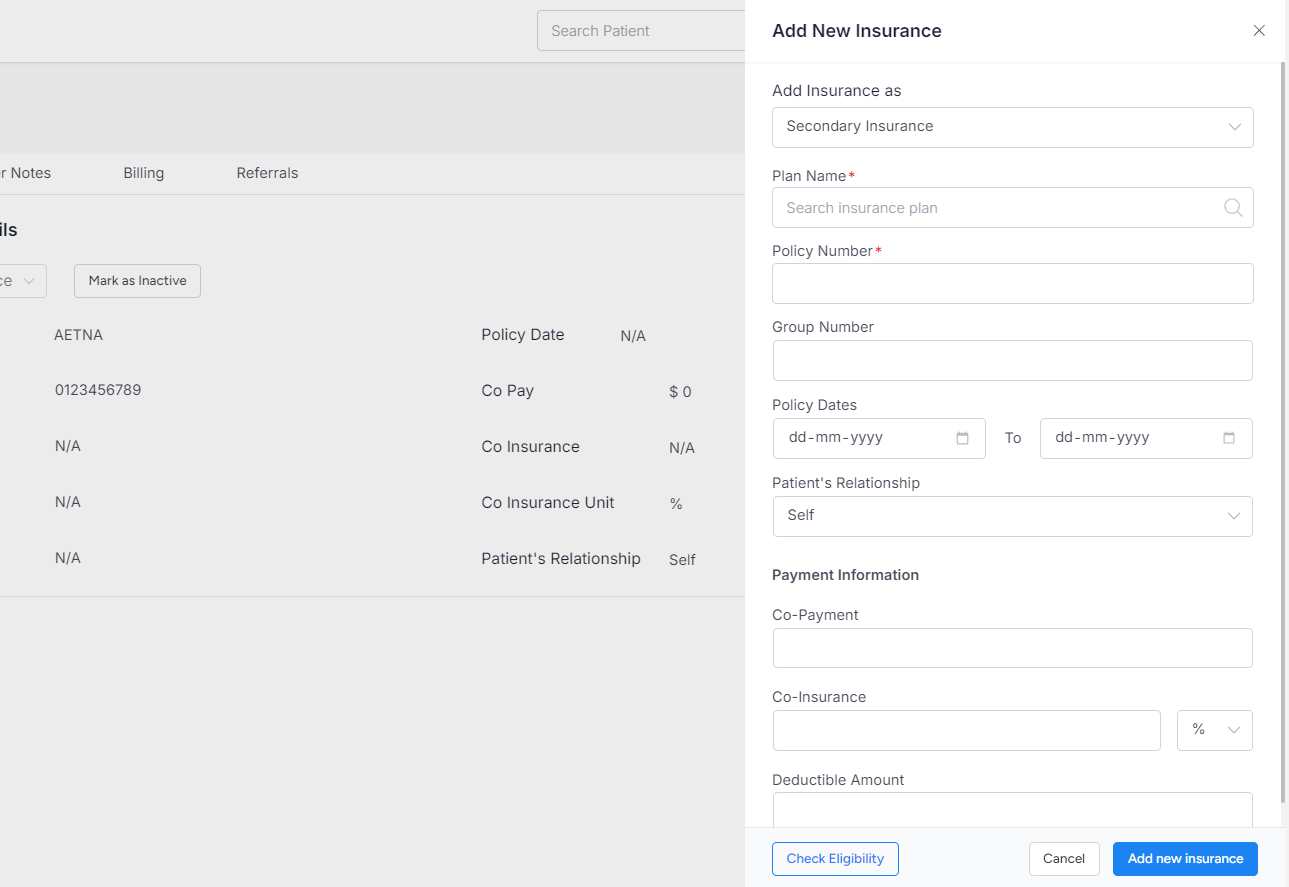
Confirmation of Insurance details
- You will see a confirmation screen. If you are ok with the details, click “Next,” or else, you can edit or delete the insurance details by clicking the edit or delete button on the top right corner of the screen.
- To continue with the patient registration process, click the "Next" button.
Self Pay
You can Select Self Pay if you do not have Insurance or do not want to pay by Insurance. Selecting the Self Pay option implies that you will handle the payment yourself.
7. Enter Pharmacy Information
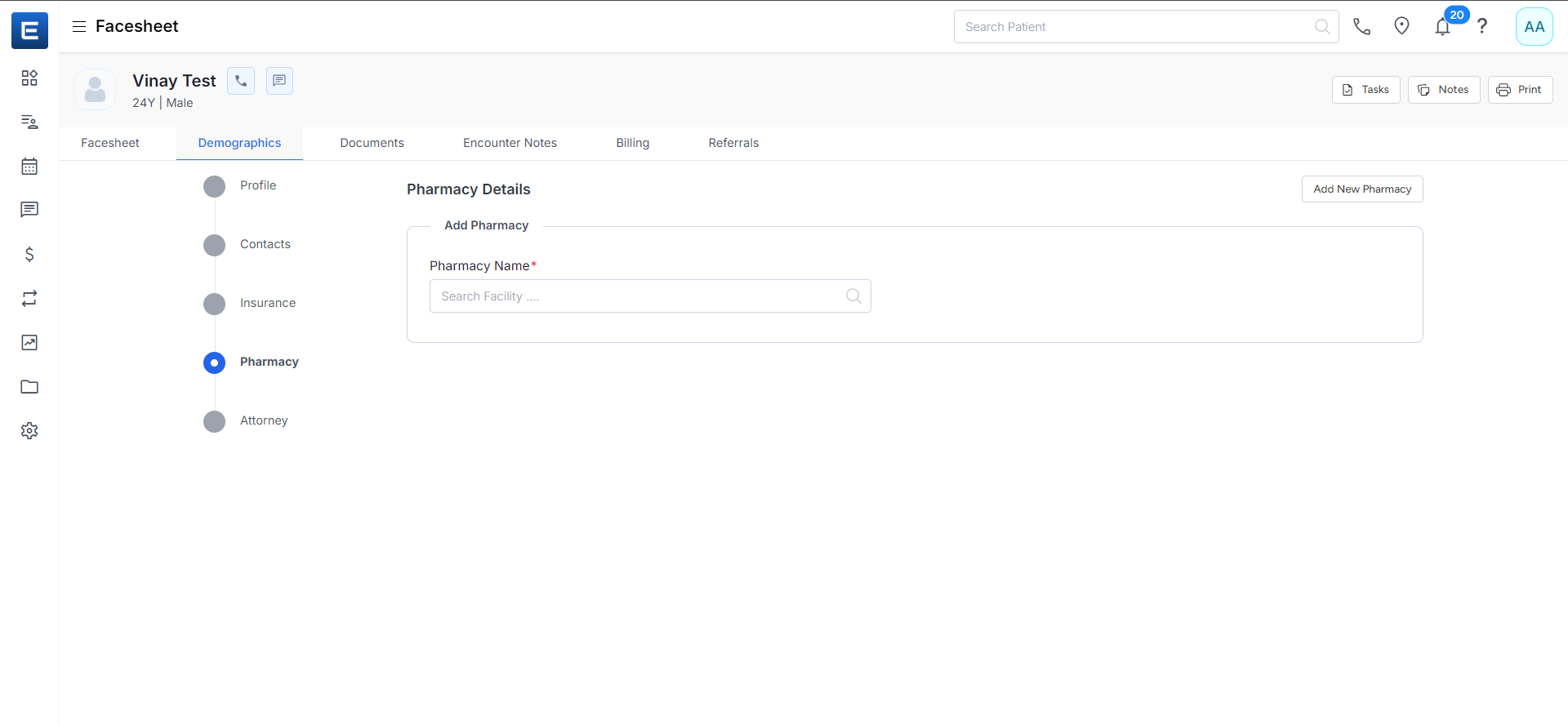
8. Attorney Information (if applicable)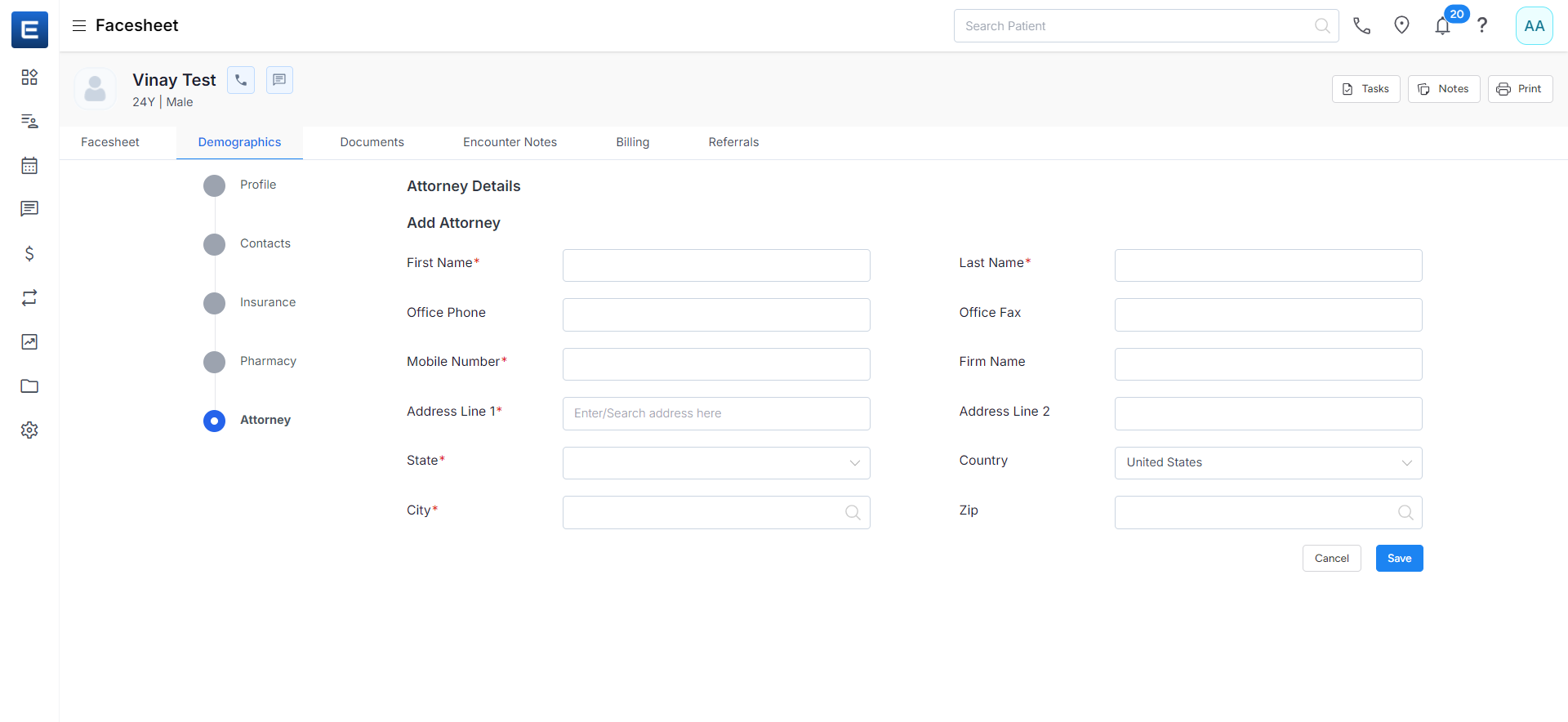
10. Upload Profile Photo and Documents
-
-
- Click on the profile photo area to upload the patient’s photo.
- Scan and upload any relevant documents to the EHR Portal.
- Add Notes
- Click Finish
-
Related to